Easy POS Docs - Invoices, Credit Notes & Cancellation
Invoice Register
A searchable, filterable, paginated list of all POS Sales Invoices with status badges (Paid, Overdue, Draft, Return, ...).
Invoice detail view
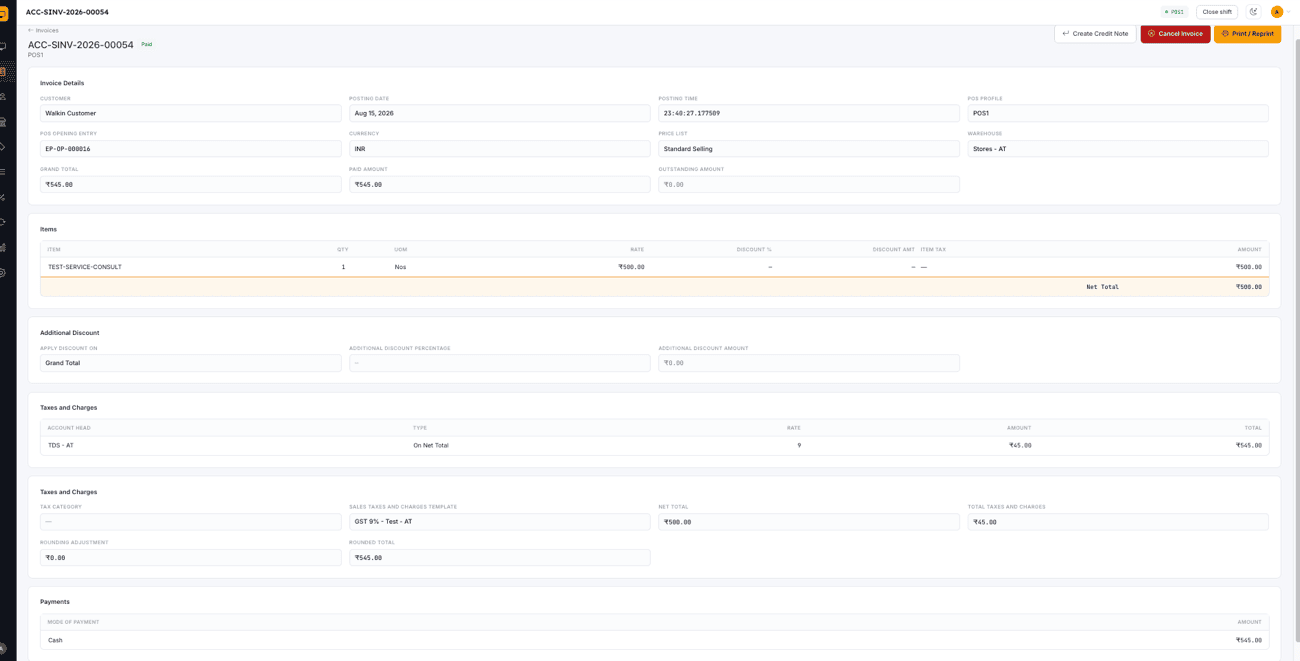
Itemized line view, taxes and charges, additional discounts, bundle components (for Product Bundle sales), and the payment breakdown for any invoice.
Cancel invoice
Cancel a submitted invoice with a confirmation step.
Credit notes / returns
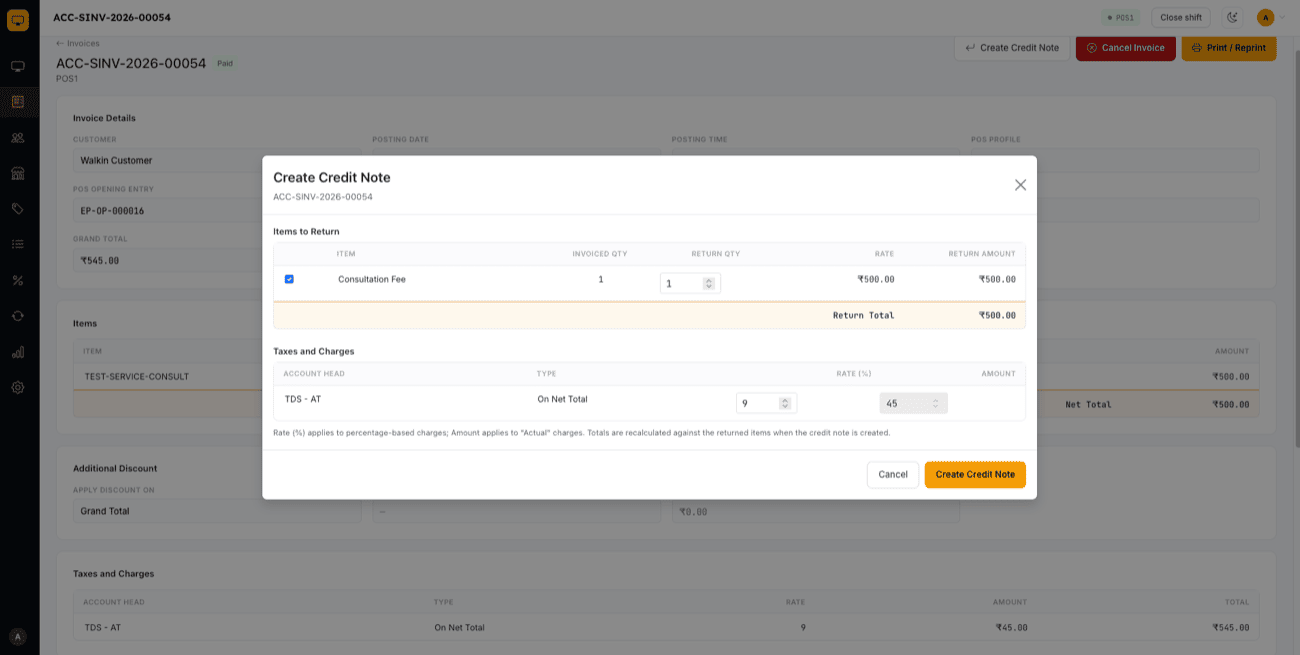
Issue a return against any non-return invoice. The backend recomputes taxes and totals against the return's own negative net total rather than trusting client-side math, and the resulting credit note carries the original invoice's POS Profile and shift so it stays visible in reporting.
Customer purchase history
Jump straight from the cart's selected customer to their filtered Invoice Register in one click.