Easy POS Docs - Introduction
Easy POS
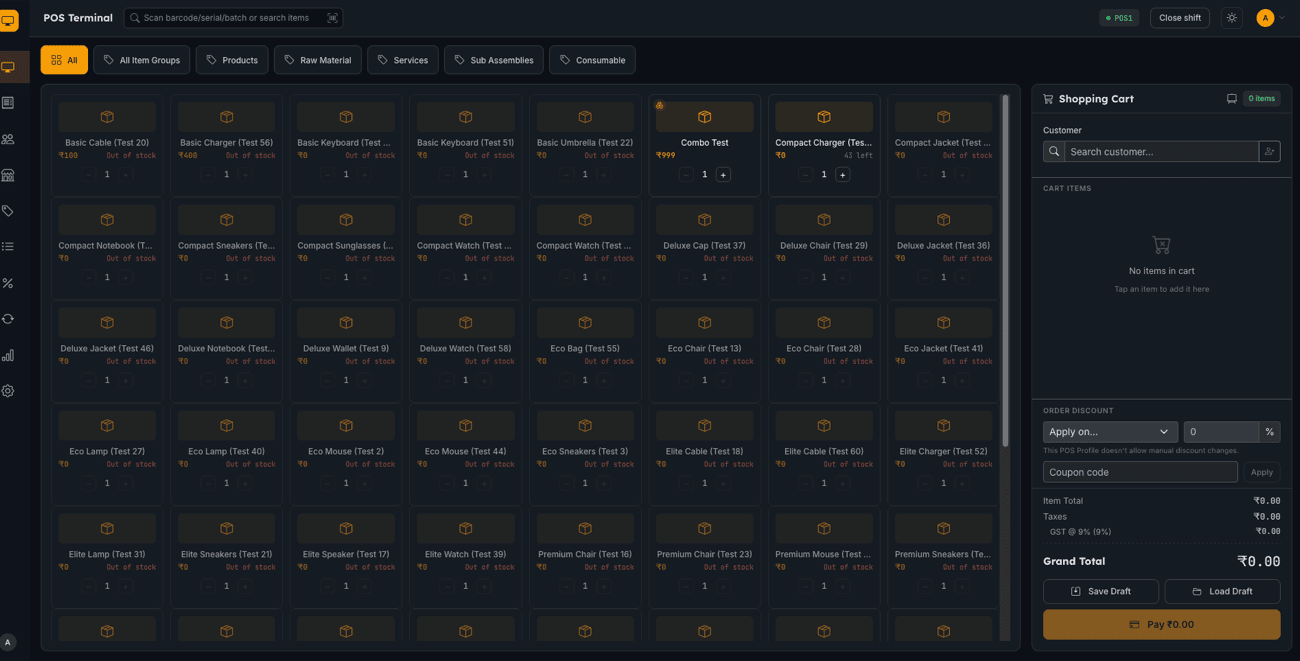
Easy POS is a free, open-source Point of Sale (POS) application for ERPNext and the Frappe Framework,
built as a modern React single-page app and packaged as an installable Frappe app (easy_pos). It replaces
the standard ERPNext POS screen with a purpose-built retail checkout experience — a fast cart-and-payment
terminal, shift-based cash management, invoice and returns handling, and admin screens for POS Profiles,
Price Lists, and Discounts — while reusing ERPNext's own Sales Invoice, Customer, and POS Profile
doctypes as the system of record. There is no separate database to keep in sync: everything you do in
Easy POS shows up natively in ERPNext's own reports and ledgers.
Who it's for
Small and mid-size retail counters — shops, cafés, and multi-terminal stores already running ERPNext — that want a snappier, cashier-friendly POS UI without abandoning their existing accounting, inventory, and reporting stack.
What's in this documentation
Getting Started - Installation & Setup - Quick Start — Your First Sale
Features - POS Terminal & Cart - Payments - Pricing & Discounts - Loyalty Program - Customers - Invoices, Credit Notes & Cancellation - Held / Draft Sales - Customer-Facing Display - Receipt Delivery (Email / SMS) - Reports & Cashier Dashboard - Dark Mode - Installing as a PWA - Offline & Sync (Preview)
Administration - Settings Overview - POS Profiles & Shift Management - Users & Roles
Roadmap & Support - Roadmap - Getting Help & Reporting Bugs
Legal - Terms of Service - Privacy Policy - License
Use the sidebar to jump to any topic.
Community
Discussing Easy POS on the Frappe Forum — feedback, questions, and feature ideas are welcome there.